

Available on Enterprise plans only. Requires:
- Gateway version 2.2.4 or higher
- Backend version 1.12.0 or higher (for air-gapped deployments).
Supported Secret Managers
How It Works
Secret references use a split architecture between Portkey’s control plane and data plane:- You create a secret reference in Portkey via the API. The control plane stores only the reference configuration (manager type, secret path, auth config) — never the actual secret value.
- At runtime, the data plane (AI Gateway) reads the reference configuration and fetches the secret directly from your external manager.
- The control plane never fetches or sees the final secret. The data plane caches the fetched secret value for 5 minutes to avoid hitting your secret manager on every request. After the TTL expires, the next request triggers a fresh fetch.
Creating a Secret Reference
From the Control Panel
- From your admin panel, go to Secret References and click Create.
- Configure the reference identity:
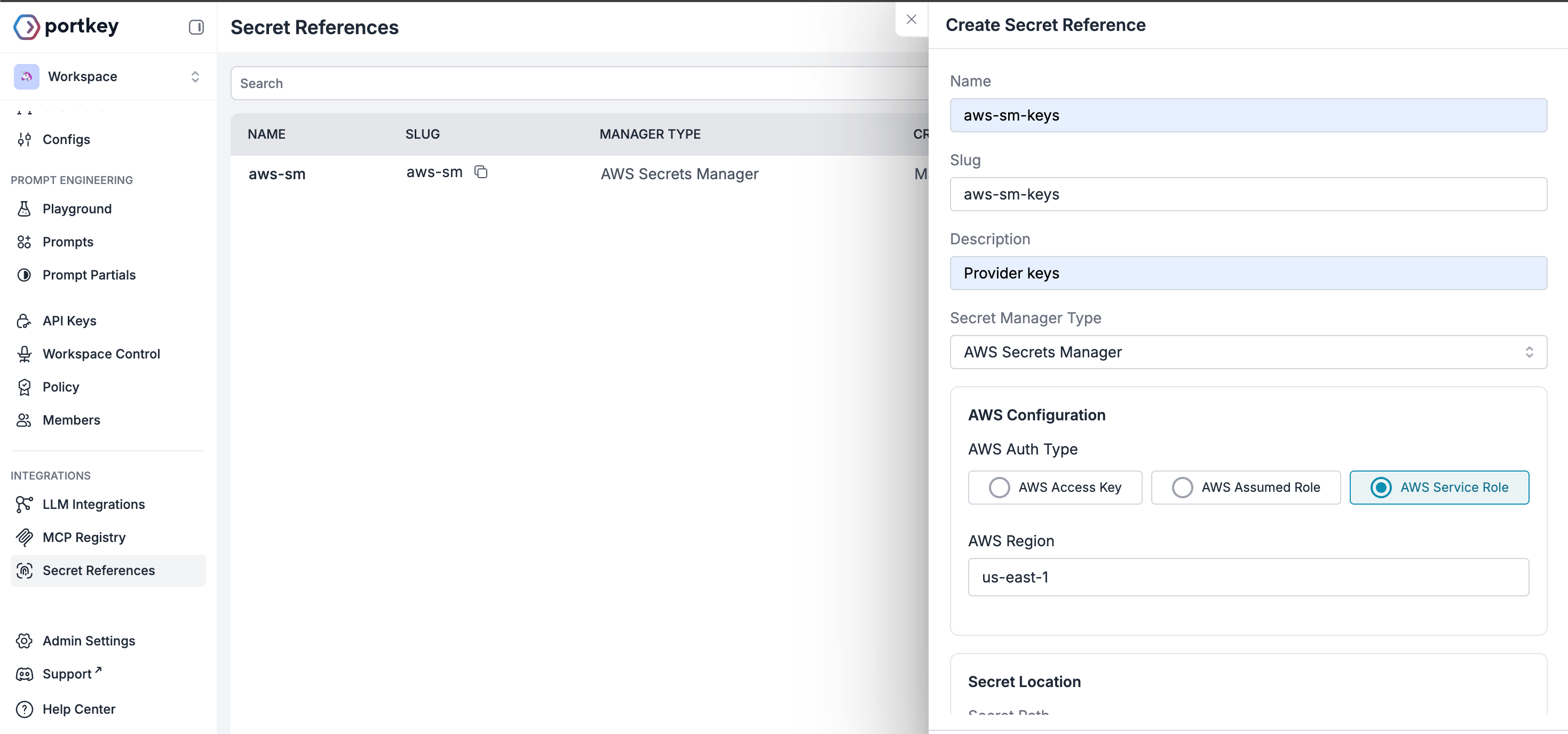
- Name: A name for this reference
- Slug: Unique identifier, auto-generated from name if not added. Pattern:
^[a-zA-Z0-9_-]+$ - Description: Optional context about this reference’s purpose
-
Choose your external vault from the supported options:
- AWS Secrets Manager
- Azure Key Vault
- HashiCorp Vault
- Select the authentication type for your chosen manager and add the required details.
-
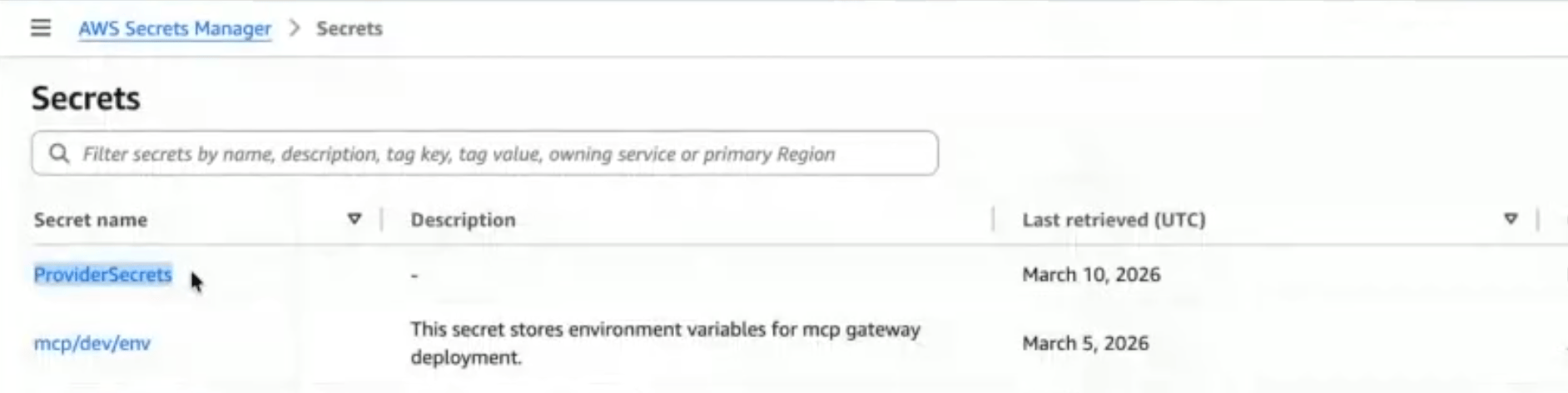
Secret Location:
- Secret Path: Add the Secret name from the external manager
- Secret Key (optional): Add the specific key within the secret
Via Admin APIs
Send aPOST request to /v1/secret-references with the following body:
Updating a Secret Reference
Send aPUT request to /v1/secret-references/:id with only the fields you want to change. At least one field must be provided.
auth_config updates are merged with the existing config - you don’t need to resend the full object.
Setting allow_all_workspaces: true purges any workspace-specific mappings. Providing allowed_workspaces automatically sets allow_all_workspaces to false.
Deleting a Secret Reference
Send aDELETE request to /v1/secret-references/:id.
It will fail if the secret reference is currently in use by any integrations - remove those associations first.
Workspace Scoping
By default, a secret reference is accessible from all workspaces in your organisation. To restrict access:- Pass
allowed_workspaceswith an array of workspace UUIDs or slugs when creating or updating the reference. - This automatically disables
allow_all_workspaces.
allow_all_workspaces: true - this purges all workspace-specific mappings.
Auth Config
Theauth_config schema depends on the manager_type you choose.
- AWS Secrets Manager
- Azure Key Vault
- HashiCorp Vault
Secret Mappings
Secret mappings allow integrations to dynamically resolve secrets from secret references at runtime, instead of storing credentials directly. Thesecret_mappings field is an optional JSON array accepted on create and update in Integrations.
Schema
Each entry in thesecret_mappings array:
From the Control Panel
If you’re storing provider API keys in your vault, map your secrets in LLM Integrations:- While creating a new LLM integration (or editing an existing one), you’ll see a toggle. Switch to Secret Ref to use the key via your vault.
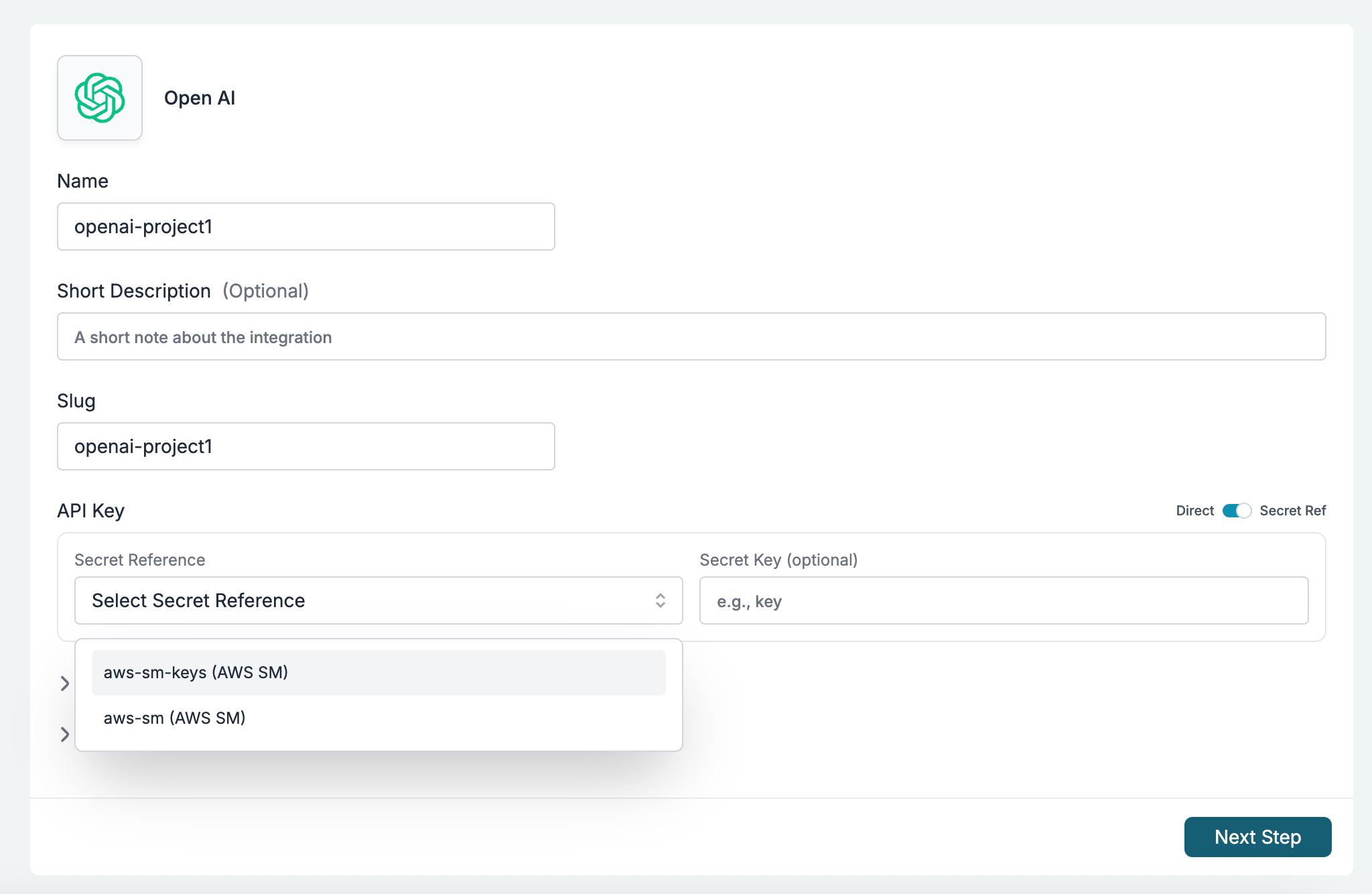
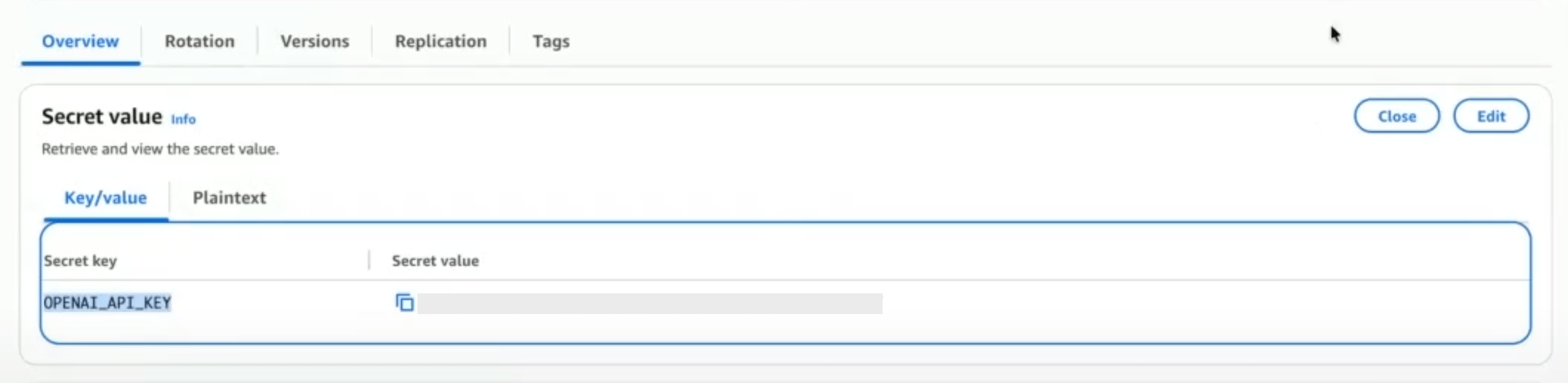
- Select the secret reference. Optionally, provide a Secret Key if the reference contains multiple values.
Via Admin APIs
Valid target_field Values
Integrations (POST /v1/integrations, PUT /v1/integrations/:integrationId)
Example
Validation Rules
secret_mappingsmust be an array (if provided).- Each
target_fieldmust be one of the allowed fields/prefixes for the entity type. - No duplicate
target_fieldvalues within the array. - Each
secret_reference_idmust reference an existing, active secret reference in the same organisation. - If the entity is workspace-scoped, the secret reference must be accessible to that workspace (either
allow_all_workspaces: trueor explicitly mapped). - On create,
target_fieldvalues with theconfigurations.prefix are auto-normalized — you can pass just the field name without the prefix and it will be prepended.
Behavior
- At gateway runtime, mapped fields are resolved from the external secret manager using the referenced secret reference’s
auth_config,secret_path, and the mapping’ssecret_key(or the secret reference’s defaultsecret_key). - When a
target_fieldofkeyis mapped, thekeyfield on the entity becomes optional during creation. - Secret mappings are returned in GET responses for integrations.
Sensitive Field Masking
When you retrieve a secret reference via the API, sensitiveauth_config fields are automatically masked. The original field is replaced with a masked_ prefixed version containing a truncated value.
Access Requirements
- Authentication:
x-portkey-api-keyheader. - RBAC Role:
OWNERorADMIN.