

Portkey Provider Slug:
upstageOverview
Portkey offers native integrations with Upstage for Node.js, Python, and REST APIs. By combining Portkey with Upstage, you can create production-grade AI applications with enhanced reliability, observability, and advanced features.Upstage Documentation
Explore the official Upstage documentation for comprehensive details on their APIs and models.
Getting Started
1
Obtain your Upstage API Key
Visit the Upstage dashboard to generate your API key.
2
Create a Virtual Key in Portkey
Portkey’s virtual key vault simplifies your interaction with Upstage. Virtual keys act as secure aliases for your actual API keys, offering enhanced security and easier management through budget limits to control your API usage.Use the Portkey app to create a virtual key associated with your Upstage API key.
3
Initialize the Portkey Client
Now that you have your virtual key, set up the Portkey client:
Portkey Hosted App
Use the Portkey API key and the Upstage virtual key to initialize the client in your preferred programming language.Open Source Use
Alternatively, use Portkey’s Open Source AI Gateway to enhance your app’s reliability with minimal code:Supported Models
Supported Upstage Models
Supported Upstage Models
Chat - solar-pro, solar-mini and solar-mini-jaEmbedding- embedding-passage, embedding-querySupported Endpoints and Parameters
Upstage Supported Features
Chat Completions
Generate chat completions using Upstage models through Portkey:Streaming
Stream responses for real-time output in your applications:Function Calling
Leverage Upstage’s function calling capabilities through Portkey:Embeddings
Generate embeddings for text using Upstage embedding models:Portkey’s Advanced Features
Track End-User IDs
Portkey allows you to track user IDs passed with the user parameter in Upstage requests, enabling you to monitor user-level costs, requests, and more: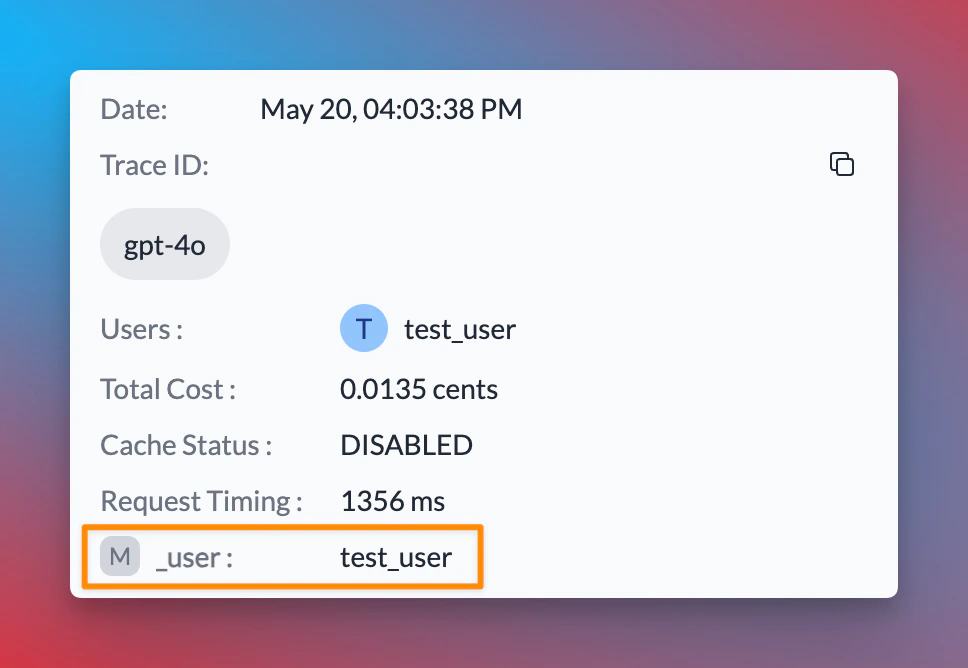
user parameter, Portkey allows you to send arbitrary custom metadata with your requests. This powerful feature enables you to associate additional context or information with each request, which can be useful for analysis, debugging, or other custom use cases.
Learn More About Metadata
Explore how to use custom metadata to enhance your request tracking and analysis.
Using The Gateway Config
Here’s a simplified version of how to use Portkey’s Gateway Configuration:Create a Gateway Configuration
You can create a Gateway configuration using the Portkey Config Dashboard or by writing a JSON configuration in your code. In this example, requests are routed based on the user’s subscription plan (paid or free).
Process Requests
When a user makes a request, it will pass through Portkey’s AI Gateway. Based on the configuration, the Gateway routes the request according to the user’s metadata.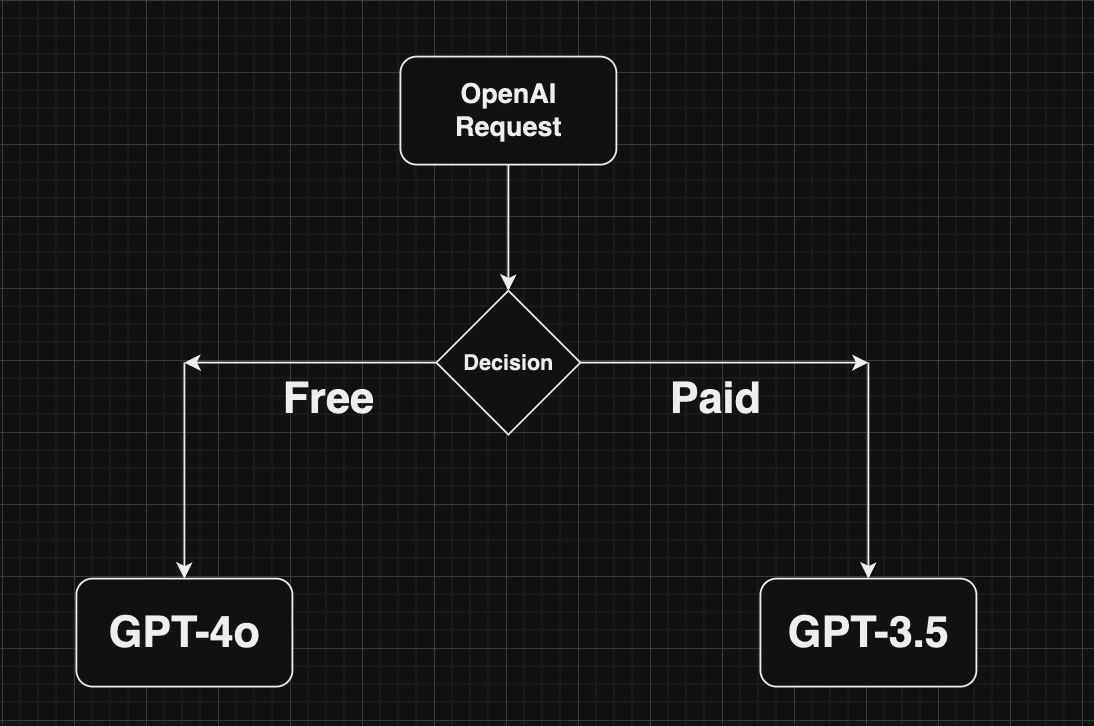
Load Balancing
Distribute requests across multiple targets based on defined weights.
Fallbacks
Automatically switch to backup targets if the primary target fails.
Conditional Routing
Route requests to different targets based on specified conditions.
Caching
Enable caching of responses to improve performance and reduce costs.
Guardrails
Portkey’s AI gateway enables you to enforce input/output checks on requests by applying custom hooks before and after processing. Protect your user’s/company’s data by using PII guardrails and many more available on Portkey Guardrails:Learn More About Guardrails
Explore Portkey’s guardrail features to enhance the security and reliability of your AI applications.
Next Steps
The complete list of features supported in the SDK are available in our comprehensive documentation:Portkey SDK Documentation
Explore the full capabilities of the Portkey SDK and how to leverage them in your projects.